Wireframes – what is it? How to make a mockup?
What is Wireframes and how to create a sketch of a mobile or web application?

Wireframes(skeleton / mockup) is a simplified sketch of the user interface of a website or application. At this stage, we try to specifically allocate space for individual functionalities, set priorities for content, available functions and intended behaviors. For this reason, Wireframes usually do not contain styles, colors or graphics – this is not the time to look for visually appealing solutions, but to achieve your goals.
Wireframes – what is it?
Wireframes primarily perform several functions:
- They connect information architecturethe website with its visual design, showing the paths between views and the basic operation of the functionality,
- They explain the waysdisplaying specific types of information in the user interface,
- They define the intended functionality of the interface,
- They help accordinglyprioritize content throughdetermining how much space should be allocated to a given item and where it is located. (see also:What is MOsCoW prioritization?)
How to do?
First of all, please remember thatwireframesare sketches presenting where the main navigation and content elements of the website will appear on the page. Since the purpose of the illustration is not to represent a visual design, keep it simple.
- Start with a sketch.Ditch those computers and start with paper and a fineliner. Stepping away from the computer and leaving yourself with a clean piece of paper is a great way to generate new ideas. You can use ready-made templates, e.g.Sneakpeekitto speed up the ideation process.
- Don’t use colors.Instead, rely on different shades of one color, e.g. gray.
- Don’t use images.Images distract from the task at hand. To indicate where you intend to place the image and its size, use simple shapes, e.g.:
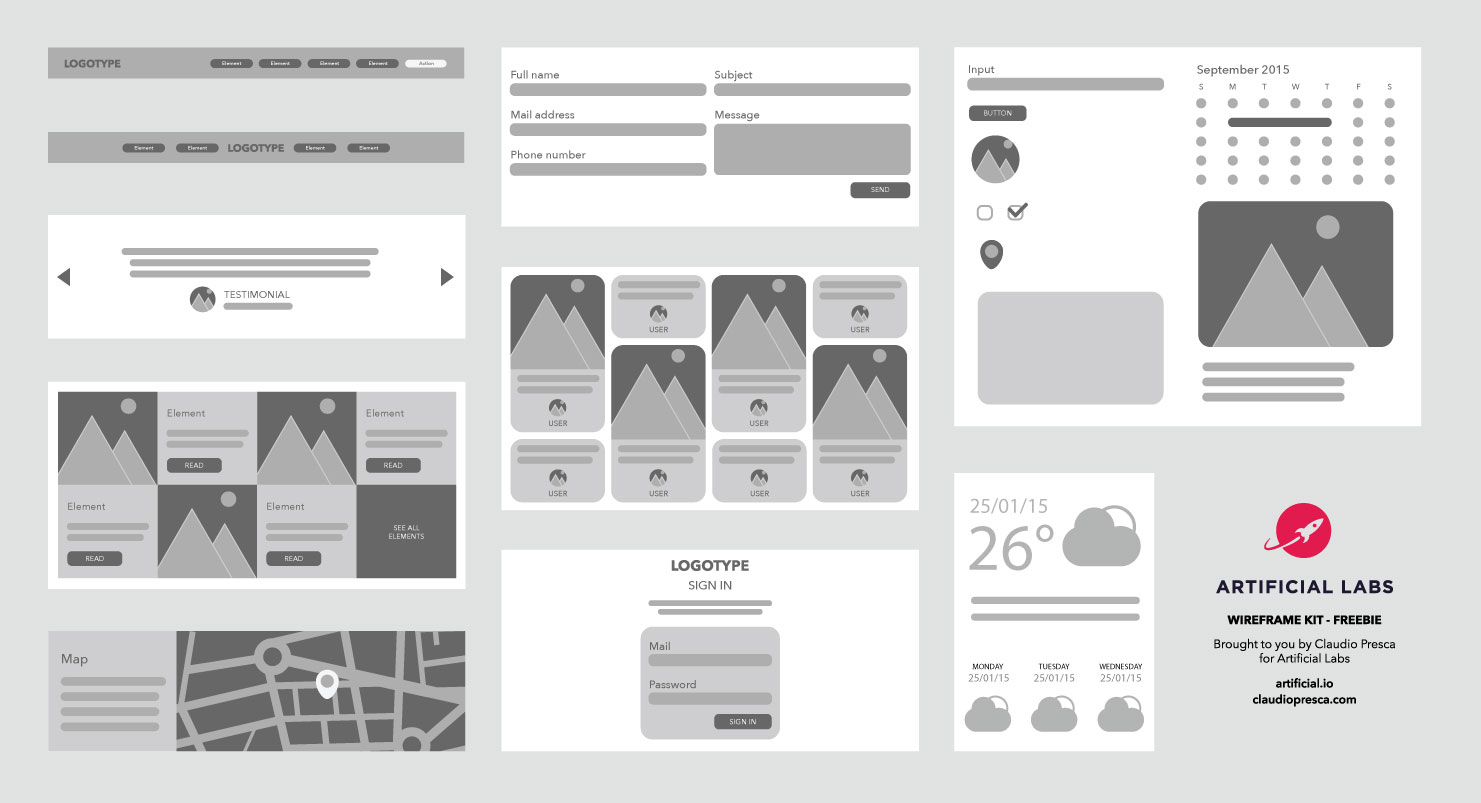
- Use only one typeface.Typography should not be part of the mockup discussion. However, in wireframes, you can still change the font size to indicate different headings and changes in the hierarchy of text information on the page. Works very well for Wireframes fontSan Francisco Pro Display, which in combination withSF Symbolsoffers us the ability to quickly add icons to the project, without unnecessary packages or drawing them manually.
BecauseWireframesare two-dimensional, be aware that they don’t do a good job of displaying interactive interface features such as drop-down lists, hover states, hideable accordions, or auto-spinning carousels. For this we can use more advanced tools, then speaking of the High-Fidelity prototype.
See also: Prototyping Lo-Fi and Hi-Fi applications. Differences and applications.
When drawing Wireframes, it’s a good idea to familiarize yourself with the basic components used in digital products.You can read more about Design Patterns and Design Systems here.
Types of Wireframes
Wireframes models can vary from paper sketches to computer-drawn images, as well as in the amount of detail they convey. Low (Lo-Fi) and High (Hi-Fi) fidelity are terms used to describe the level of quality or functionality of a wireframe.
- Low Fidelity Wireframeslow-fidelity solutions facilitate communication between the project team and are relatively quick to develop. They tend to be more abstract because they often use simple images to block spaces and implement dummy content or Latin text (lorem ipsum) as content filler and labels.
- High Fidelity Wireframeshigh fidelity are better for documentation due to the increased level of detail. These wireframes often contain information about each specific element on the page, including the dimensions, behavior, and/or actions associated with any interactive element.
Common mistakes to avoid when creating wireframe sketches
- Creating overly detailed or complex wireframe sketches, which can cause confusion among stakeholders and lead to problems in the design process.
- Using too much placeholder text, which can make it difficult to understand the user’s journey through your website or app.
- Enabling too many interactive features in a wireframe sketch, such as drop-down menus, hover states, or carousels, that may not translate well to 2D vision.
- Lack of organization of information in a logical and intuitive way, which may make it difficult for users to navigate through the website or application.
- Lack of prioritization of content based on its importance, which can make it difficult for users to quickly find the most important information.
Source: :Usability.gov
See also: What is User Flow and how to create it?